The Only POS Built from the Ground Up for Craft Beverage Producers
Most POS systems were built for cafés or clothing stores then bolted onto brewery software as an afterthought. Liquor Logic's POS was designed alongside the production, inventory, and reporting modules — so everything works together seamlessly, in real time, without workarounds.
One POS. Every Venue Type.
Whether you pour from a tap behind a tasting counter, run a full sit-down restaurant on your estate, or sell cases across a retail counter, Liquor Logic's POS adapts to your operation — not the other way around.
Tasting Room
Fast & intuitive. Create tasting menus, log pour quantities, manage bookings, and process payment — all from one screen. Perfect for high-volume tasting days with minimal staff.
- Tasting creation & management
- Fast Take-Away checkout
- Real-time stock deduction per pour
- Works on mobiles, tablets and touch screens
Restaurant & Bar
Full table service with floor plan management, course ordering, kitchen ticket printing, split billing, and staff assignment.
- Interactive floor plan & table management
- Course & modifier ordering
- Kitchen ticket printing
- Split bills by item or percentage
Retail & Direct Sales
Quick-scan retail checkout for cases, bottles, merchandise, and accessories. Apply loyalty discounts, trade pricing, and promotional rates automatically.
- Barcode scanning
- Customer account lookup & trade pricing
- Promotional & discount management
- Receipt printing or email
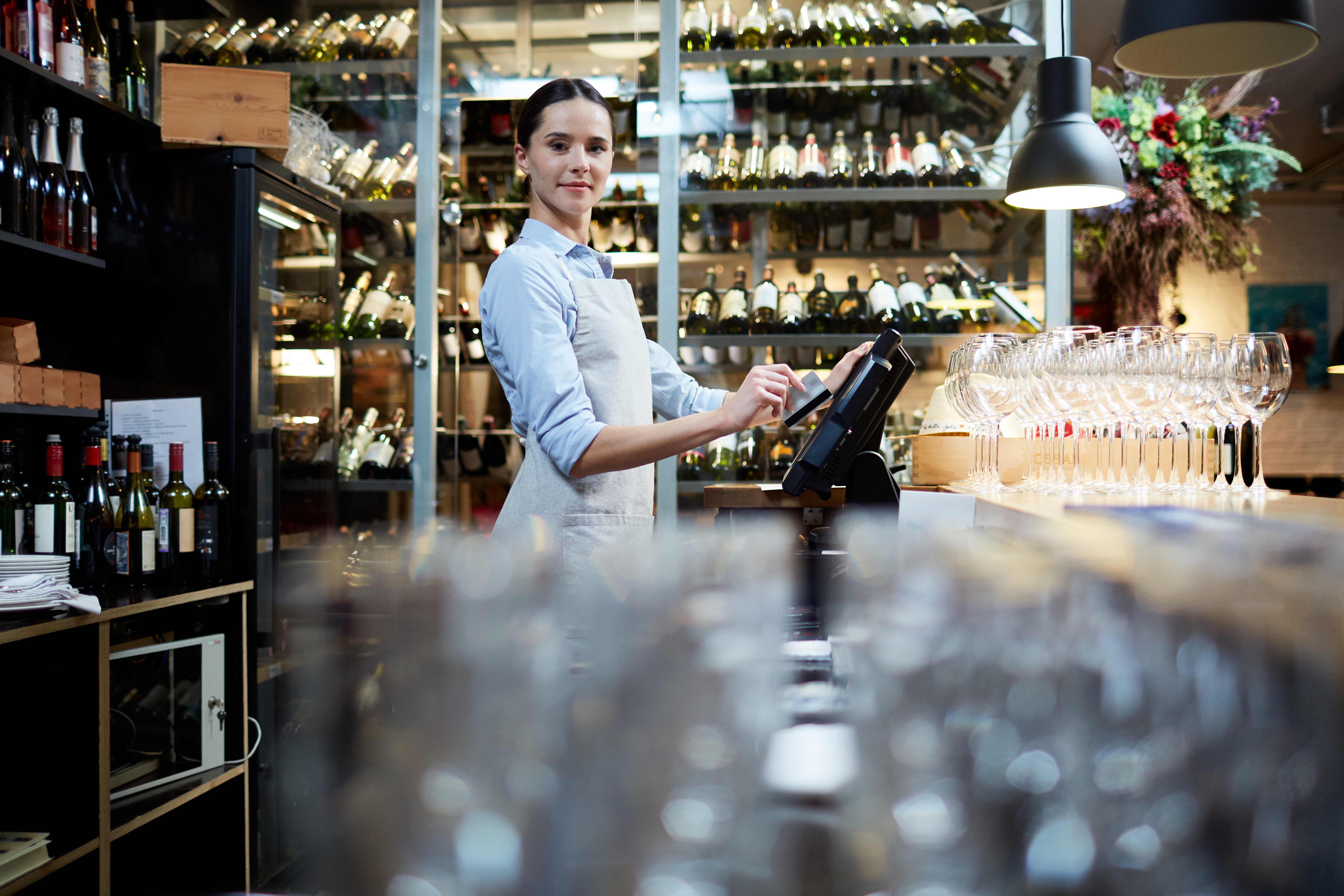
Everything at Your Staff's Fingertips
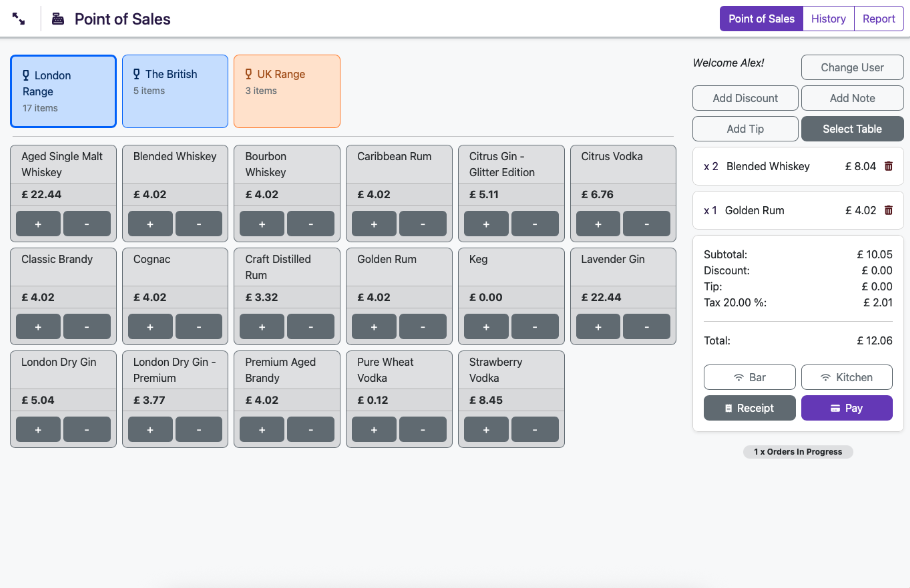
The Liquor Logic POS interface is designed for speed and clarity. Staff can open a tab, add items, apply discounts, split a bill, and process payment in under 30 seconds — even during the busiest service. The product grid is fully customisable with your own categories and pricing so new staff can be operational within minutes.
Every transaction is immediately synced with your back-end inventory, financial dashboards, and production records. There's no end-of-day reconciliation to run, no manual stock count to trigger — your data is always up to date.
The system runs on any modern tablet, desktop, or touch screen — no proprietary hardware lock-in. Use it on an iPad behind the tasting counter, a wall-mounted screen at the bar, or a desktop at your retail counter. Hardware recommendations are available on our Hardware page.
With offline mode enabled, your tills keep trading through an internet outage on a secure local backup, then sync everything back automatically the moment you're back online.
Design Your Space. Manage It Live.
Liquor Logic's drag-and-drop floor plan builder lets you recreate your restaurant, tasting room, or bar layout exactly as it exists in reality. Place tables, label sections, designate indoor and outdoor areas, and define seating capacities — all without any technical knowledge.
Once your floor plan is live, your front-of-house team sees the same view on their device. Tables are colour-coded by status — available, or occupied — so your team always knows where to seat the next group and which tables need attention.
Orders are assigned directly to tables from the floor plan view. When a customer moves tables, their order moves with them. When a table pays and is cleared, it resets to available instantly. No verbal handovers, no lost orders, no confusion.
- Drag-and-drop layout builder — design your space in minutes
- Live table status — available, occupied, or needs attention at a glance
- Multiple rooms and sections — indoor, outdoor, bar, private dining
- Order-to-table assignment — orders travel with the customer
- Seating capacity management — never over-seat a section
- Staff section assignment — allocate waitrons to specific zones
Bring Online Orders Straight Into Your POS
Whether a customer orders through an online delivery platform or books a table in advance, everything flows directly into the same POS your team works from. No tablet juggling, no manual re-entry, no missed orders.
Online & Delivery Orders
Delivery and takeaway orders from platforms like Uber Eats flow directly into the POS. Staff see the order exactly as it was placed, kitchen tickets print automatically, and inventory updates in real time — the same as any in-venue order.
- Orders appear in POS automatically — no manual re-entry
- Kitchen tickets print instantly on order receipt
- Real-time inventory deduction on every online order
- Online order revenue included in all POS reports
Reservations & Table Bookings
Accept table reservations and manage them directly in the POS. When a booking arrives, the table is flagged on your floor plan. Your team can view upcoming reservations, assign tables, and prepare for guest arrival — all from the same screen they process orders from.
- Online reservations integrated with your floor plan
- View upcoming bookings by date, time, and party size
- Convert reservations to open tables with one tap
- Guest notes and preferences visible at check-in
Accept Any Payment. Bill Any Way Your Customer Wants.
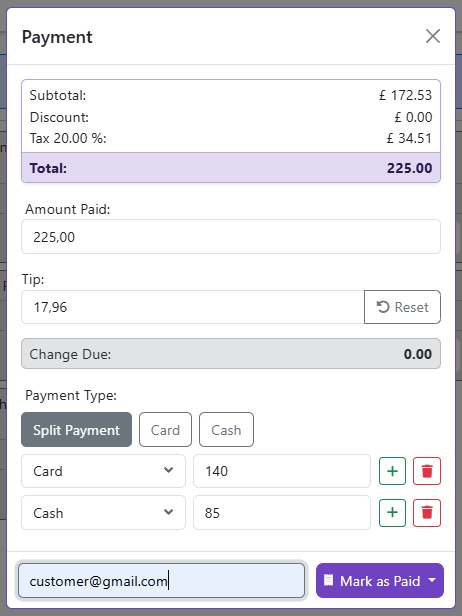
No two tables close out the same way. Liquor Logic's billing system is flexible enough to handle any scenario — from a quick single payment to a large group that wants to split twelve ways.
Cash
Fast cash processing with change calculation. Till float management and cash-up reports at end of shift.
Zapper & SnapScan
QR code payments via Zapper and SnapScan — contactless, fast, and reconciled automatically.
Charge to Tab
Open, manage, and easily charge orders directly to a customer's active tab or account — with automatic End-of-Month statements for account customers.

Want card machines that talk to your till directly?
PayLogic pairs a card terminal with every station and prices itself off your turnover — see the full solution.
Split Billing — Any Way You Like
Large groups mean complicated billing. Liquor Logic handles any split scenario without confusion or manual calculation.
- Split equally — total divided by number of people
- Split by item — each person pays for exactly what they ordered
- Split by custom amount — each person pays a specified amount
- Mixed payment types — half cash, half card on the same table
- Partial payment — someone leaves early and pays their portion
Discounts, Comps & Promotions
Flexible discount management for every situation — without bypassing your controls.
- Percentage discounts — by item or total bill
- Fixed amount discounts — loyalty rewards or vouchers
- Complimentary items — log comps with reason for audit trail
- Staff discounts — role-based discount permissions
- Loyalty Membership pricing — automatic pricing tiers by customer group
- Reward cards — buy X, get the next one free, tracked automatically per customer
Gambling Machine Income & Pay-outs
If your venue hosts gambling machines, Liquor Logic tracks that income and every pay-out to a player right alongside your regular POS transactions — no side ledger or separate till sheet needed.
- Log gambling machine income per shift
- Record player pay-outs — cash or EFT hand-pay
- Included automatically in end-of-day cash-up
- Full audit trail for every pay-out logged
Orders Flow From Table to Kitchen Without a Single Word Spoken
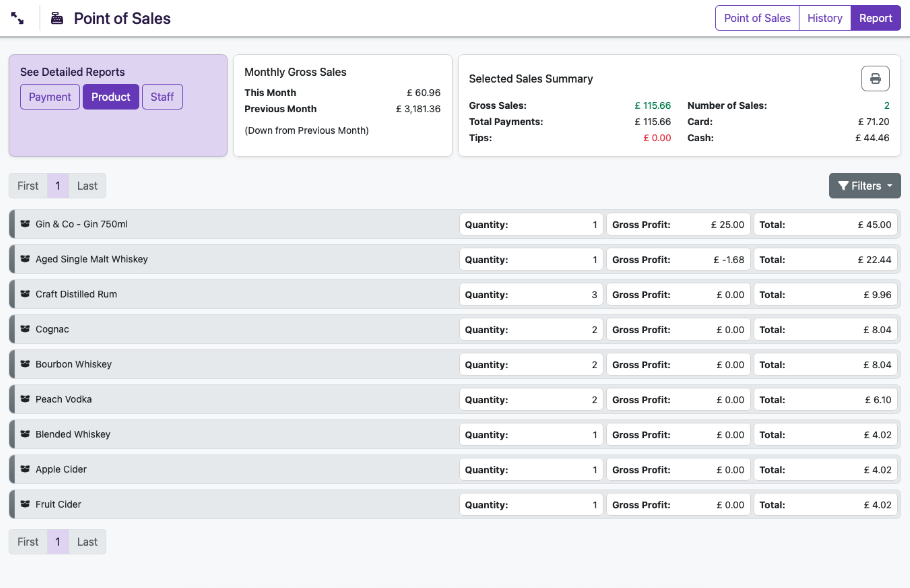
Paper dockets get lost. Shouted orders get misheard. Liquor Logic's kitchen printing and order management system eliminates both. When a waitron submits an order from the floor plan, it prints immediately at the relevant kitchen station — hot food to the kitchen, cold drinks to the bar — with the table number, course, and any special instructions clearly laid out.
Course management lets your front-of-house team control the pace of a meal. Fire starters when the customer is ready, hold mains until the starter plates are cleared, and send dessert orders with perfect timing. Your kitchen always knows exactly what to prepare and when.
The order screen gives staff a live view of every open order on the floor — what's been placed, what's been sent to the kitchen, what's been served, and what's still outstanding. Nothing is forgotten, nothing is duplicated.
Kitchen Ticket Printing
Orders print automatically at designated printers by category — food to the kitchen, beverages to the bar — the moment they're submitted.
Kitchen Display (KDS)
Go completely paperless. Route orders directly to kitchen monitor screens, tracking preparation times and order status in real-time.
Item Modifiers & Notes
Add modifiers (no onion, extra sauce, medium-rare) to any item. Instructions print exactly as entered on the kitchen ticket.
Voids & Refunds
Void items or process refunds with manager authorisation. Every void is logged with a reason for accountability and stock reconciliation.
Every Sale Instantly Updates Your Stock — Zero Manual Effort
The moment a POS sale is completed, your inventory is updated. Not at end of day. Not after a manual sync. Immediately. If a customer at the tasting counter buys the last bottle of your reserve single malt, that stock is gone from your inventory the second the transaction closes — and if that product has a reorder point set, the alert fires instantly.
This live connection between POS and inventory means your purchasing decisions are always based on real data. You never run out of your best sellers unexpectedly, and you never over-order product that's already overstocked.
For producers with multiple sales channels — tasting room POS, online store, wholesale orders — all stock movements from all channels flow into the same inventory pool. No more managing separate stock counts per channel and hoping they add up at month end.
- Instant inventory deduction on every completed sale
- Automatic reorder alerts when stock hits minimum levels
- Unified stock pool across POS, online, and wholesale channels
- Ingredient-level deduction for menu items with recipe linkage
- Batch-traceable stock — sold units are linked back to the production batch
- End-of-day stock variance reports — compare actual vs theoretical usage
Know Exactly What's Selling, When, and to Whom
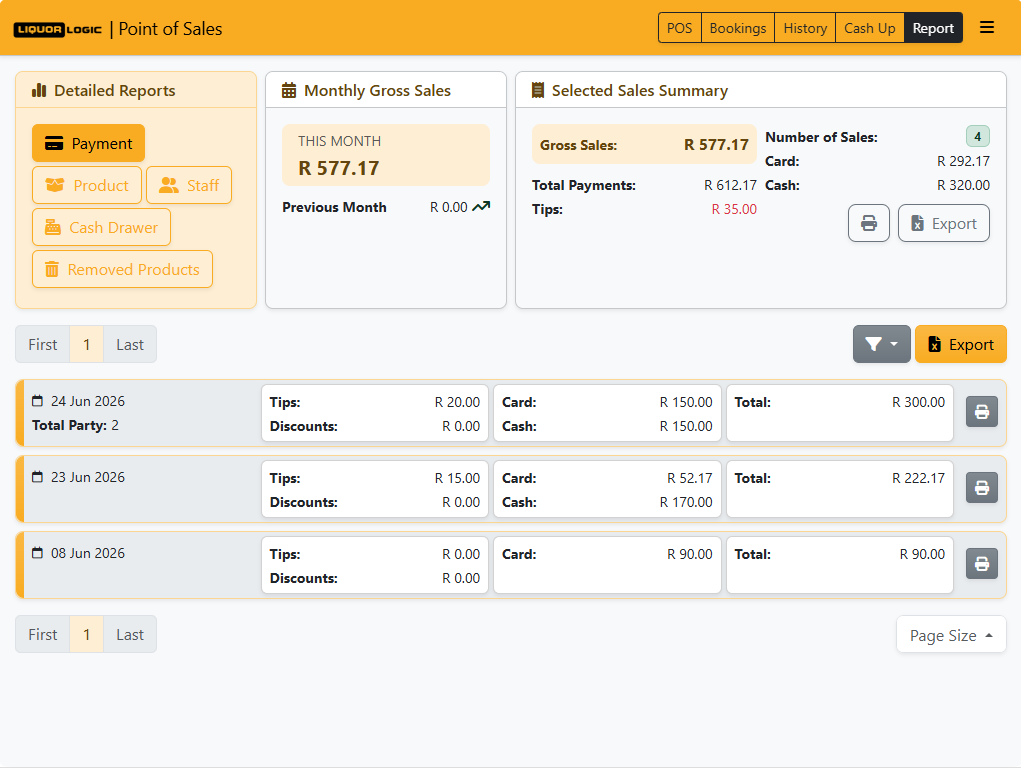
POS data without analysis is just noise. Liquor Logic turns every transaction into insight — helping you make better decisions about your menu, your pricing, your staffing, and your production planning.
Sales by Product
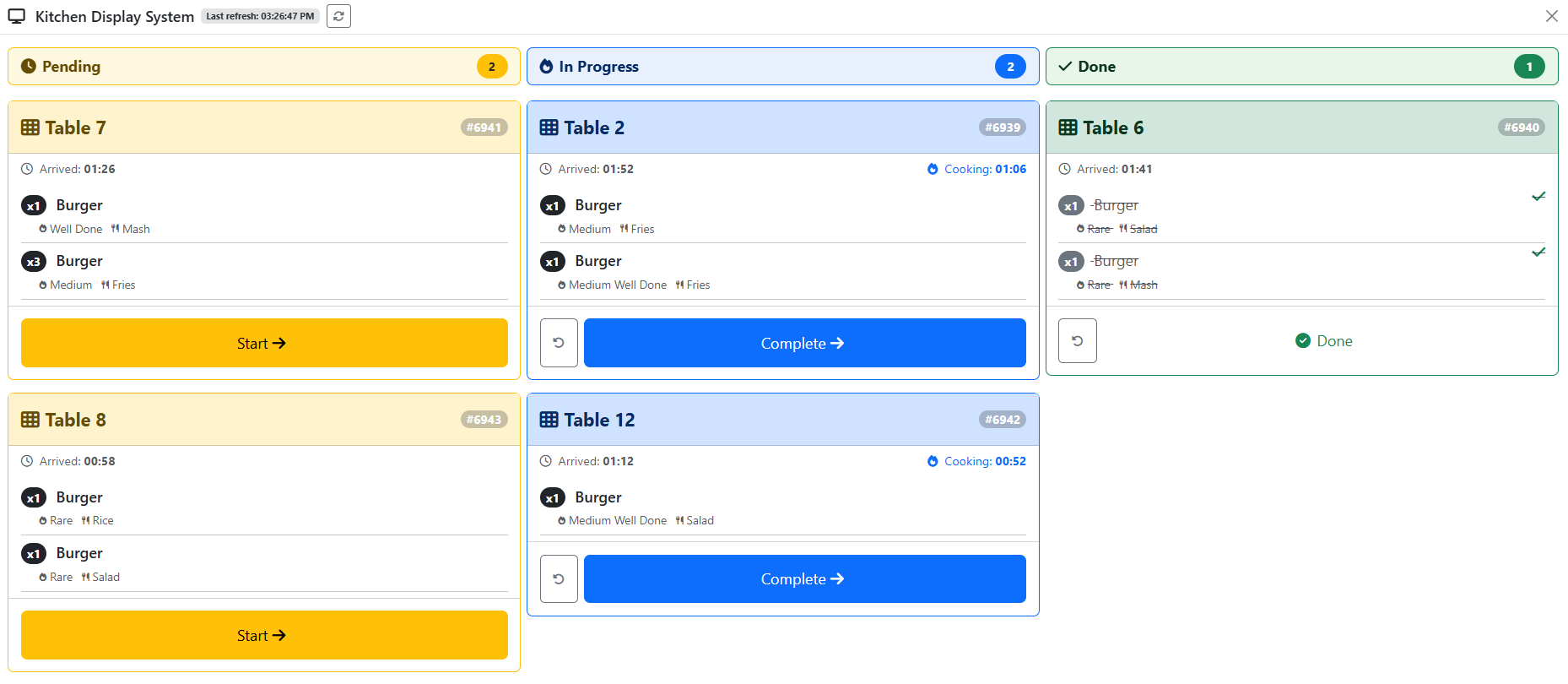
See exactly which products are driving revenue and which are underperforming. Filter by day, week, month, or custom date range. Export to Excel for deeper analysis.
Sales by Time of Day
Identify your peak trading hours and quietest periods. Use this data to optimise your staffing roster and plan your production schedule around actual demand.
Sales by Staff Member
Track individual staff performance — average transaction value, items sold, and upsell rate. Identify your top performers and coach those who need support.
Discount & Comp Analysis
Monitor exactly how much revenue is being discounted or comped, by whom, and for what reason. Flag unusual patterns.
Till & Cash-Up Reports
End-of-shift cash-up with expected vs actual cash, card totals, Zapper and SnapScan totals, and full variance reporting. No manual counting sheets required.
Top Products Dashboard
At-a-glance dashboard showing your top 10 selling products by revenue and volume. Use this to make menu decisions and inform production planning for next quarter.
Works on Any Device — No Proprietary Hardware Required
Unlike some POS systems that lock you into expensive proprietary hardware, Liquor Logic runs on any modern browser-capable device. Use what you already have, or choose from our recommended hardware list for an optimised setup.
Load Shedding, a Dropped Line, a Bad ISP Day — Your Till Doesn't Care
Most POS systems go dark the second your internet does. With offline mode enabled, a Liquor Logic till detects the outage and switches itself to a secure local backup automatically — no one has to touch anything, and no sale is ever lost.
Automatic Failover
No manual switch, no restart. The till detects the connection drop and moves to its local backup in seconds — staff carry on serving.
Everything Keeps Working
Orders, sales, and kitchen/bar printing all continue exactly as normal. Card payments carry on through your standalone card machine, unaffected.
Automatic Sync-Back
The moment connectivity returns, every offline sale pushes back to your account automatically — nothing to reconcile by hand, nothing left behind.
Safe Across Every Till
Each till can trade independently during an outage. When everyone reconnects, stock and sales reconcile correctly — nothing is double-counted or overwritten.
How It Works
The till detects it immediately and shows staff a clear on-screen notice — nobody is left guessing whether a sale went through.
The till runs from its own secure local copy of your data — same screens, same stock, same prices.
Every order taken offline syncs back automatically. Your reports, inventory, and dashboards catch up within moments.
Offline mode is enabled per venue — contact our team to switch it on for your tills.
Running a Restaurant, Bar or Tasting Room on a Hotel Property? Charge Straight to the Room.
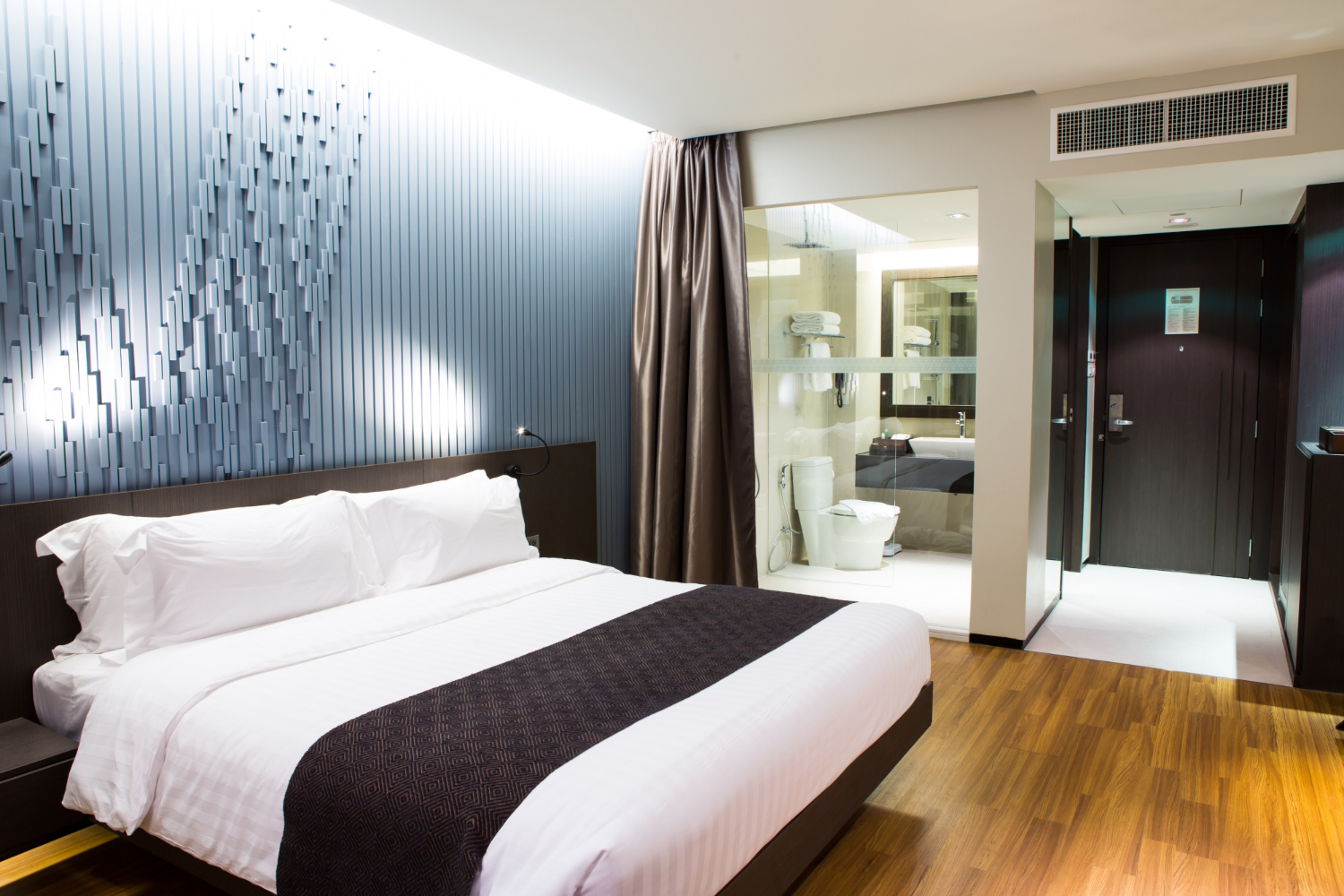
If your venue sits inside a hotel, guesthouse, or wine estate with accommodation, guests shouldn't have to pay twice — once at your till, once at checkout. Liquor Logic connects directly to your property management system, so staff can pull up a guest by room number or name and post the bill straight to their room folio in seconds.
The guest signs a printed confirmation with their room number, name, and the amount charged — no separate paperwork, no manual reconciliation with the front desk. The charge lands on the correct guest folio automatically the moment the sale is tendered.
- Guest lookup by room or name — pulled live from your PMS at the till
- Signed confirmation slip — room number, guest name, and amount, printed for the guest to sign
- Posts straight to the room folio — no manual entry at the front desk
- Works alongside every other payment method — cash, card, account, and QR payments unaffected
Frequently Asked Questions — POS
Explore Other Features
See the POS in Action
Book a personalised demo and we'll walk you through the POS in the context of your specific venue setup — tasting room, restaurant, retail, or all three.