Turn Any Screen Into a Live, Always-Up-to-Date Menu
Reprinting menus every time a price changes or a keg blows is a waste of time and money. Digital Menu lets you build a menu once with drag-and-drop, then display it on a TV, tablet, or QR-coded table talker — with pricing, stock, and specials that update themselves.
One Menu, Everywhere You Need It
Build your menu once in Liquor Logic and display it anywhere your customers are looking — behind the bar, on the wall, on a tablet, or printed as a QR table talker.
TV & Tablet Displays
Point any TV or tablet browser at your menu and it stays live — no app to install, no manual refresh.
QR Table Talkers
Printable table-tent cards with a QR code so customers can scan and browse the menu on their own phone.
Drag-and-Drop Builder
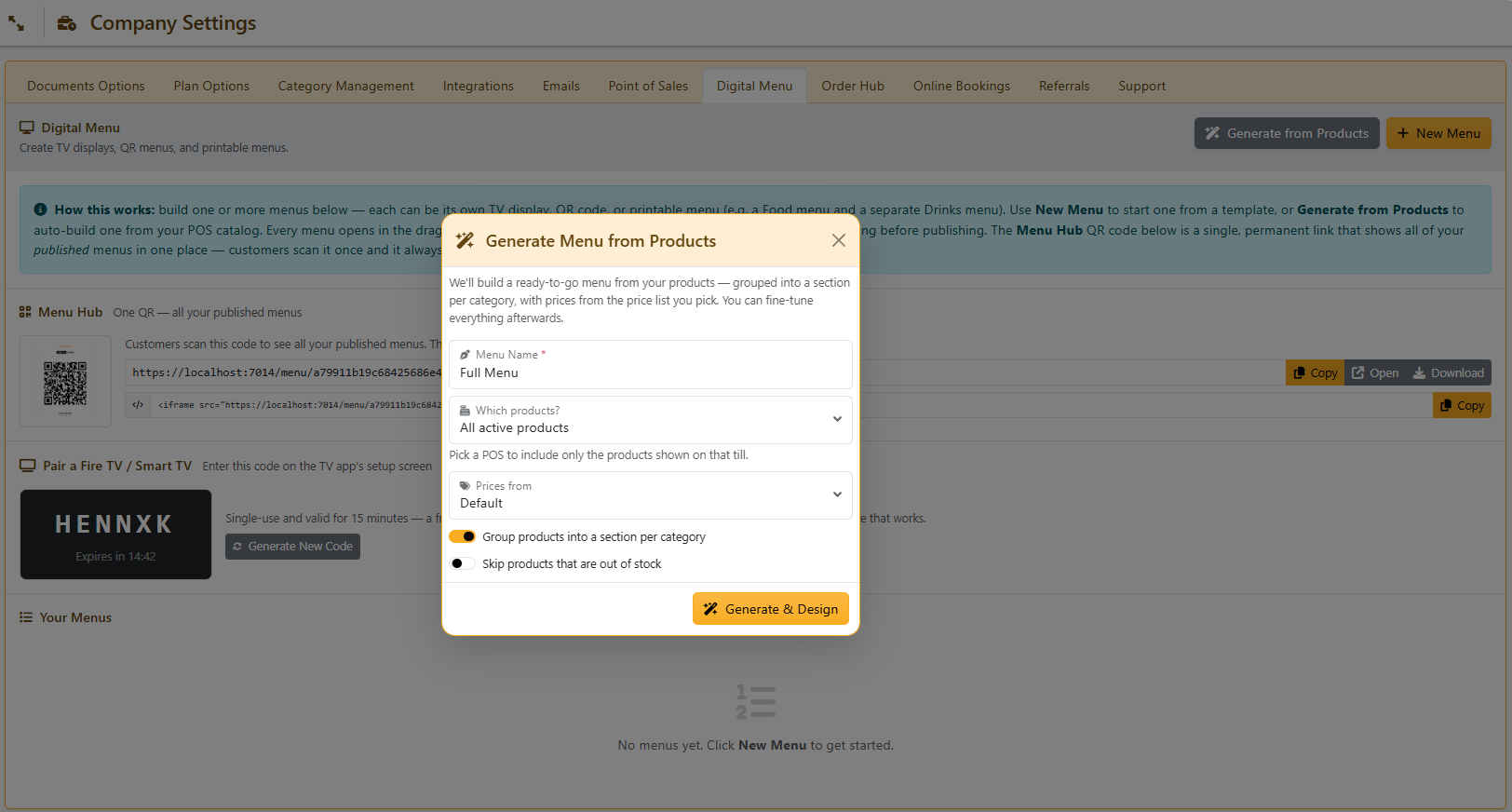
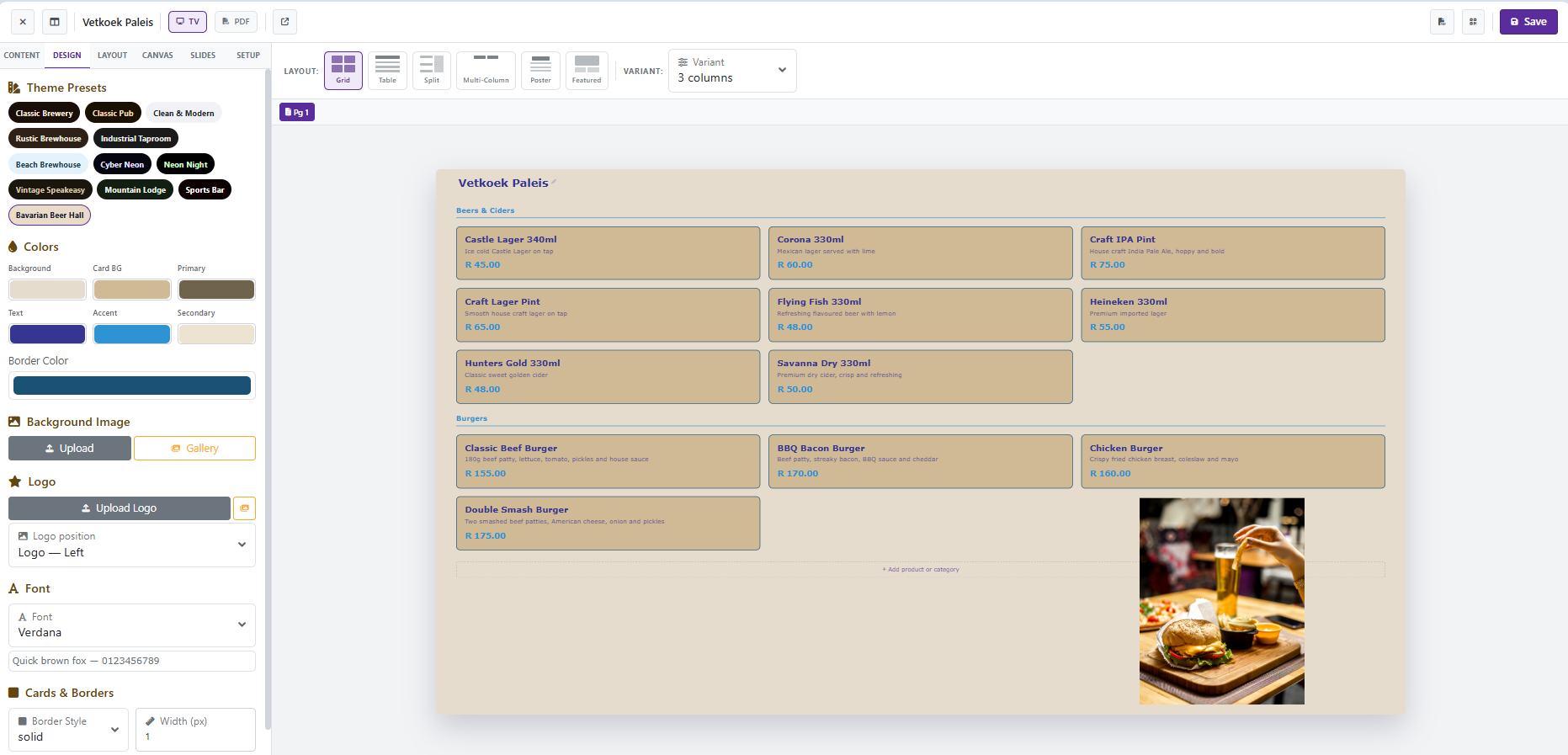
Lay out sections, pricing, and images visually, or auto-generate a menu straight from your product catalogue.
Always Current
Pricing and stock come from the same system running your POS, so nothing ever falls out of sync.
Build Your Menu in Minutes, Not Hours
Auto-generate a starting menu straight from your product catalogue — grouped by category, with pricing pulled from any pricelist you choose — then fine-tune it with a drag-and-drop layout, choice of themes, and free-form section placement for a fully custom look.
Run more than one menu at once — a food menu, a drinks menu, a breakfast menu — and switch between layouts and themes per menu without starting from scratch each time.
- Auto-generate from your existing product catalogue
- Drag-and-drop layout with free-form section placement
- Multiple menus, themes, and layouts per business
- Product images pulled straight from your catalogue
No More Reprinting Menus Every Time Something Changes
Because your Digital Menu draws pricing and stock straight from the same system running your POS, there's nothing to manually update. Sell out of a product and it can automatically show as sold out. Add a new release and flag it with a NEW badge. Every screen refreshes itself the moment you save a change — no need to touch the TV or tablet.
- Live pricing pulled from your chosen pricelist
- Automatic sold-out hiding based on real stock levels
- NEW and sold-out badges on products
- Screens auto-refresh the moment a menu is updated
Menus and Pricing That Change Themselves
Run a breakfast menu that only shows in the morning, or a happy-hour price that kicks in automatically at 5pm — all set up once and left to run itself.
Active-Hours Scheduling
Set a menu to only be active during specific days and time windows — a breakfast menu for weekday mornings, a late-night menu for weekends. The menu switches automatically, no one needs to remember to change it.
Happy-Hour Pricing
Configure a discount percentage or an alternate pricelist to apply automatically within a set day/time window. Prices switch over and back on schedule — nobody has to remember to change a price board.
Frequently Asked Questions — Digital Menu
Explore Other Features
Retire the Printed Menu
Build it once, and let Liquor Logic keep it current — everywhere it's displayed.